StoryLedger · a continuity app for Windows
Every thread accounted for.
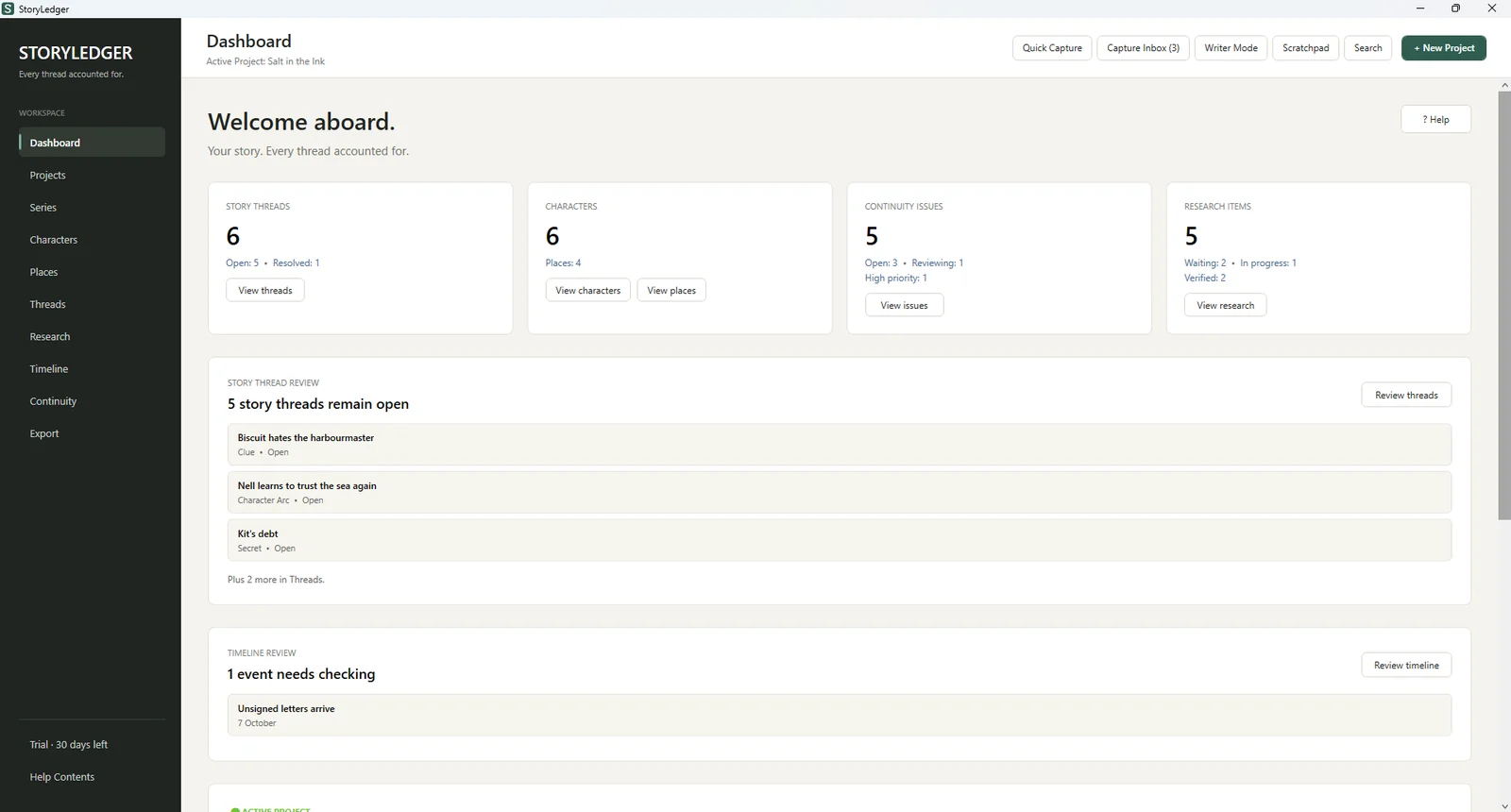
StoryLedger keeps track of everything your readers will notice: who has which eye missing, what day the storm fell on, which clue you planted in chapter two and never paid off. Built by a novelist, for authors writing series and the editors who work with them.
Windows 10 & 11 · 30 days free, every feature · works offline · no account needed
Why it exists
Readers keep the notes you forgot to.
A character’s eyes change colour between books. A pub gets renamed halfway through. Someone knows about the letter three chapters before anyone told them.
Continuity slips were a recurring note in reviews of my own books. I write two series with casts that carry across every title, and no spreadsheet or note-taking app was built for that job. So I built one. StoryLedger is the story bible I needed on my desk, with one feature at its centre: a proper ledger of every continuity problem, from the moment you spot it until it is fixed.
— Iwan Ross, novelist and founder of BlurbCraft Studio
The heart of it
A continuity ledger, not a sticky note.
Log every contradiction the moment you spot it, whether that is while drafting, during a revision pass or from an editor’s comment. Give it a severity, link the characters, places and timeline events involved, and work it through until it is resolved.
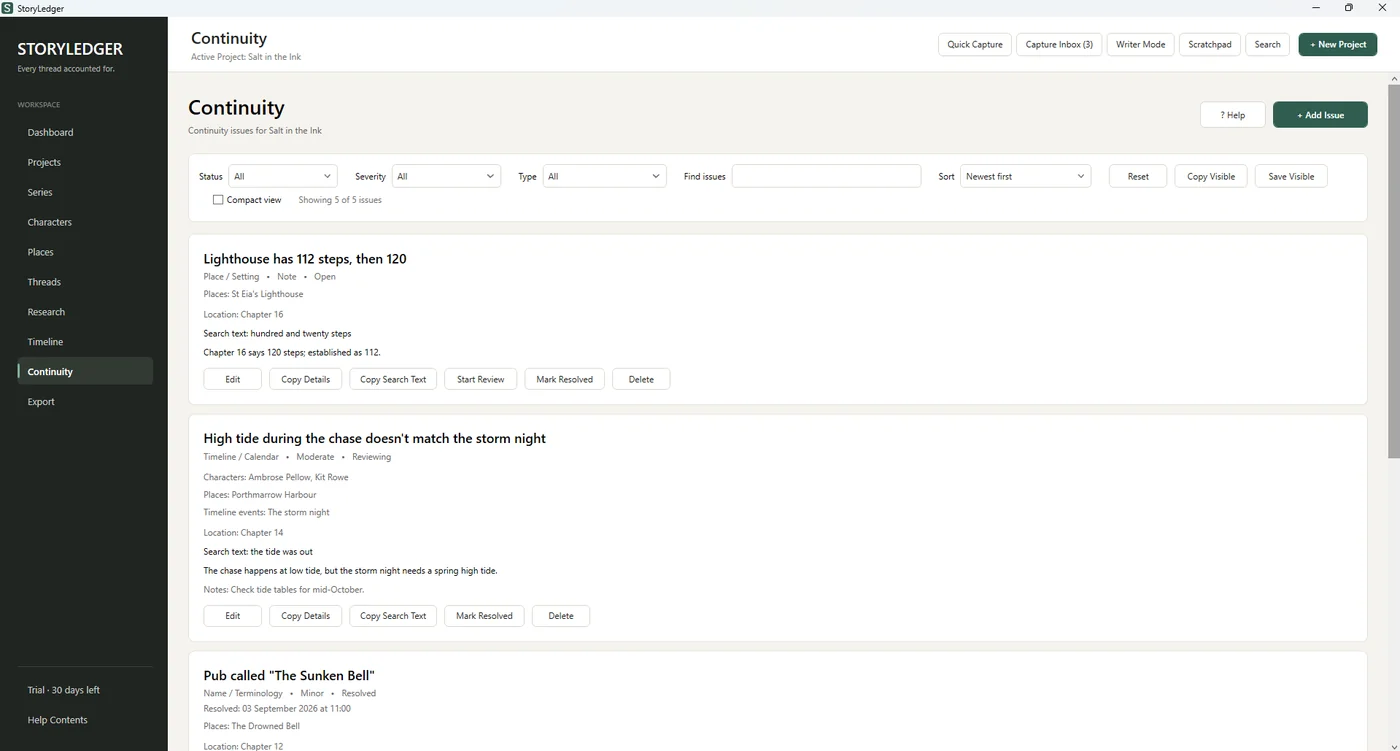
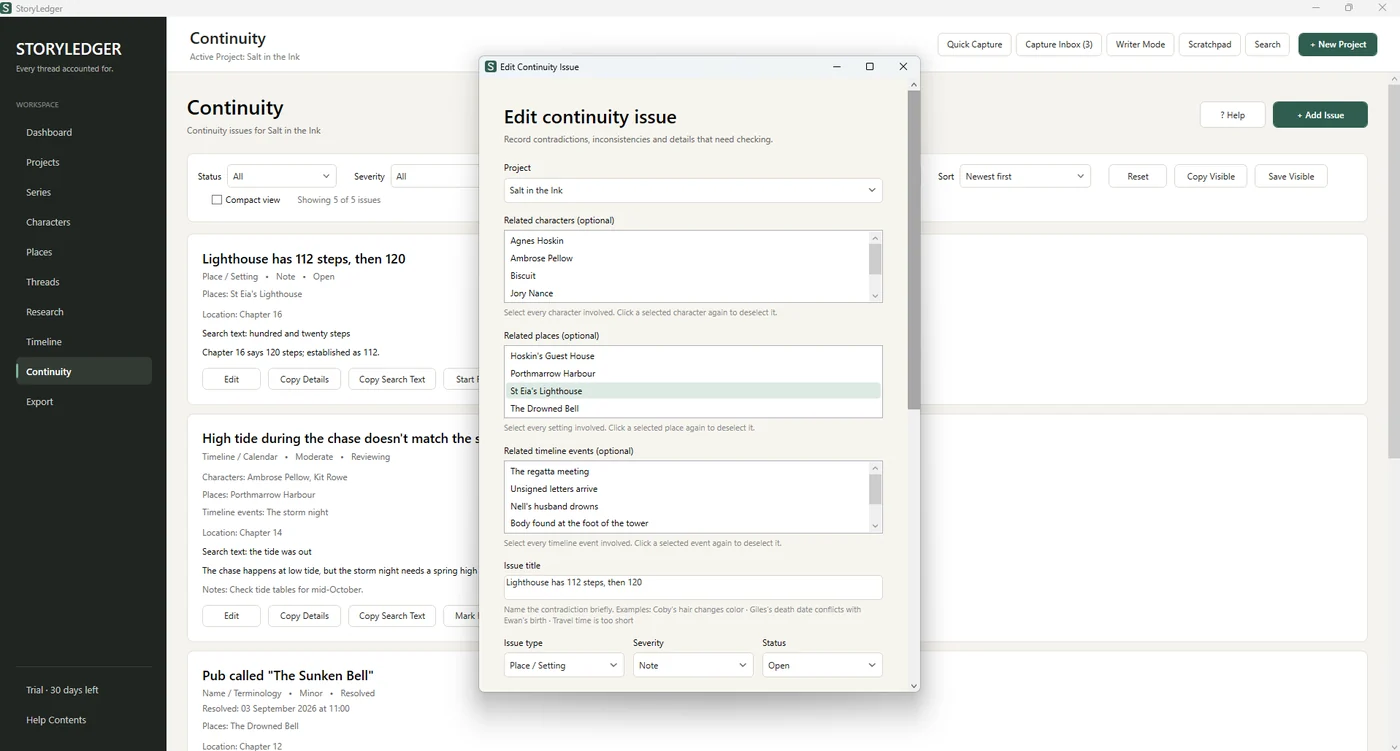
- Nine issue types, from timeline and calendar slips to knowledge leaks and renamed places
- Severity from Note to Critical; status from Open through Reviewing to Resolved
- A search phrase for each issue, copied with one click, so you can find the passage in Scrivener or Word instantly
- Filter, sort and export the open list as a checklist for your next revision pass
Your whole story bible
One place for every fact your book depends on.
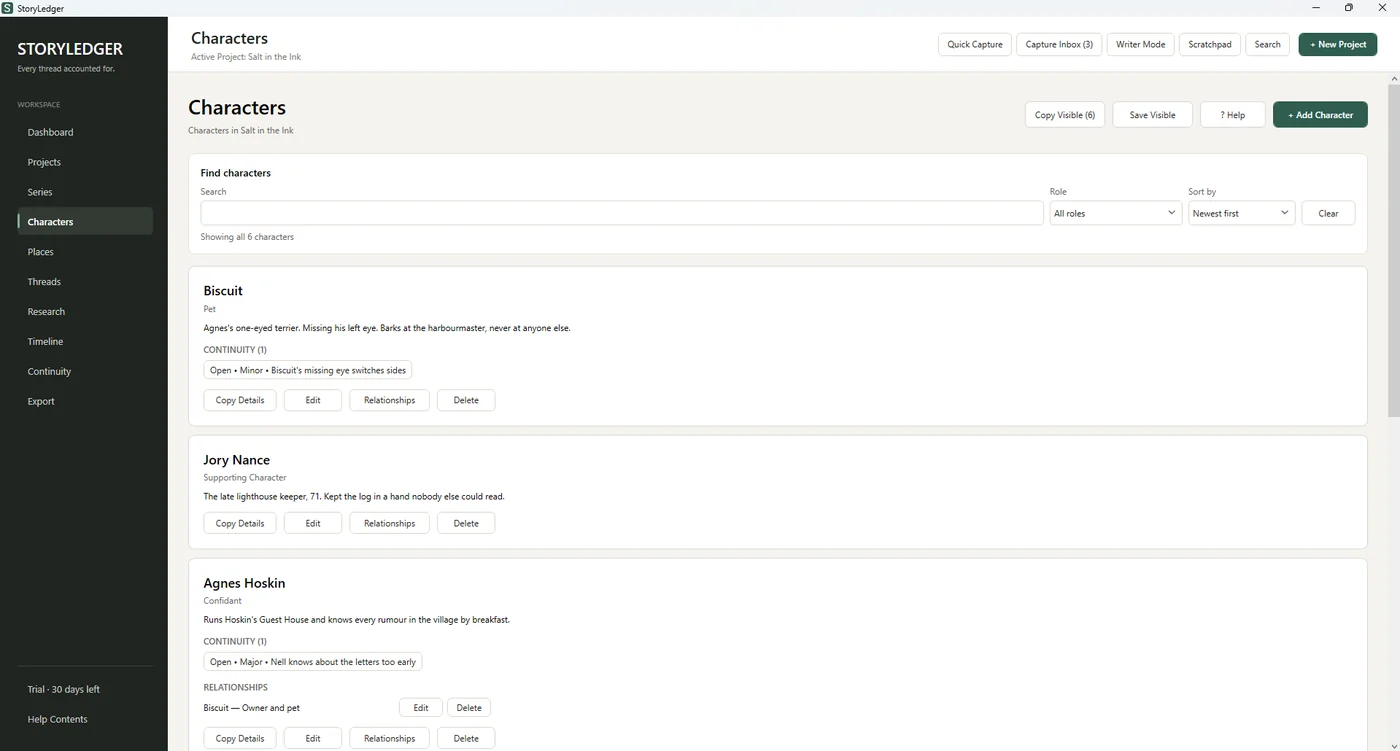
Characters and relationships
Roles, descriptions and the small physical details that trip you up, plus who is related to, rivals with or secretly in love with whom. Every character shows the continuity issues they are involved in.
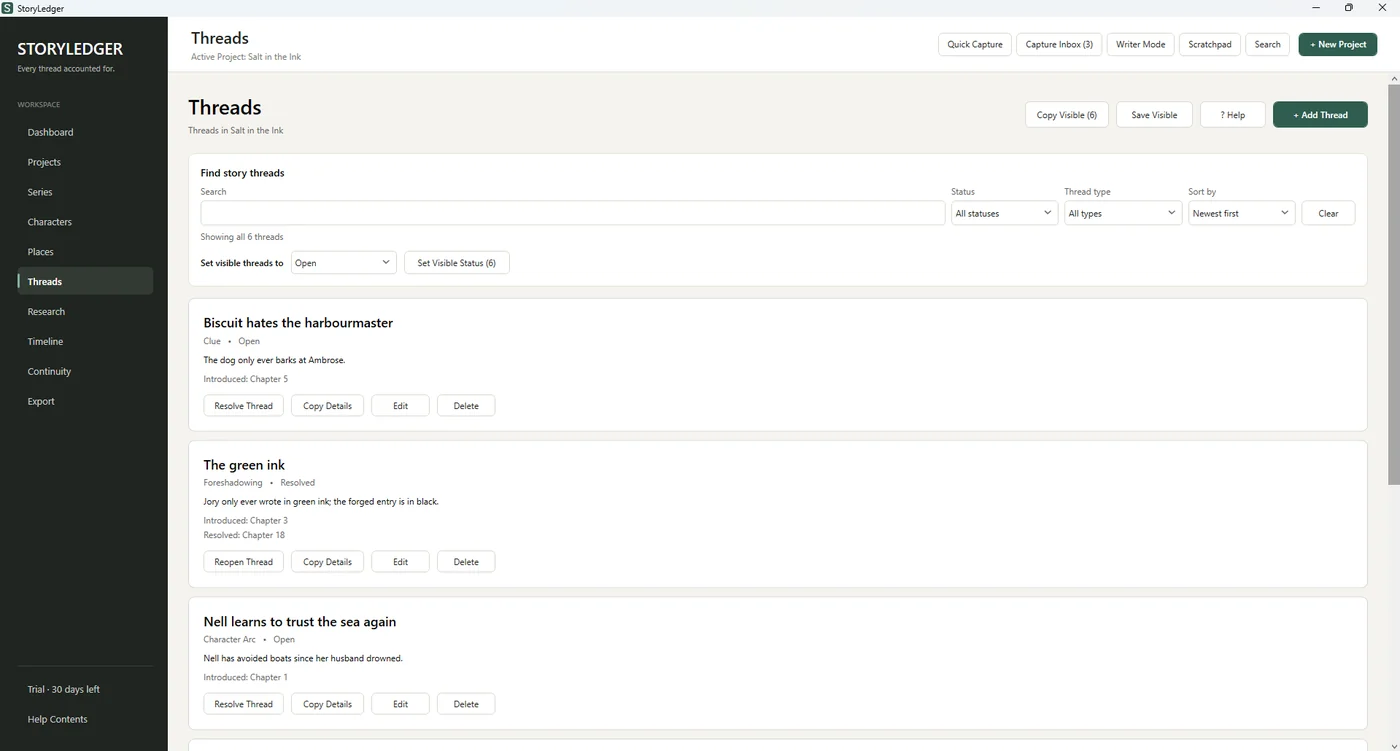
Story threads
Mysteries, clues, secrets, promises and character arcs: where each one was introduced and where it pays off. Open threads stay on your dashboard until you resolve them, so nothing you set up is left dangling.
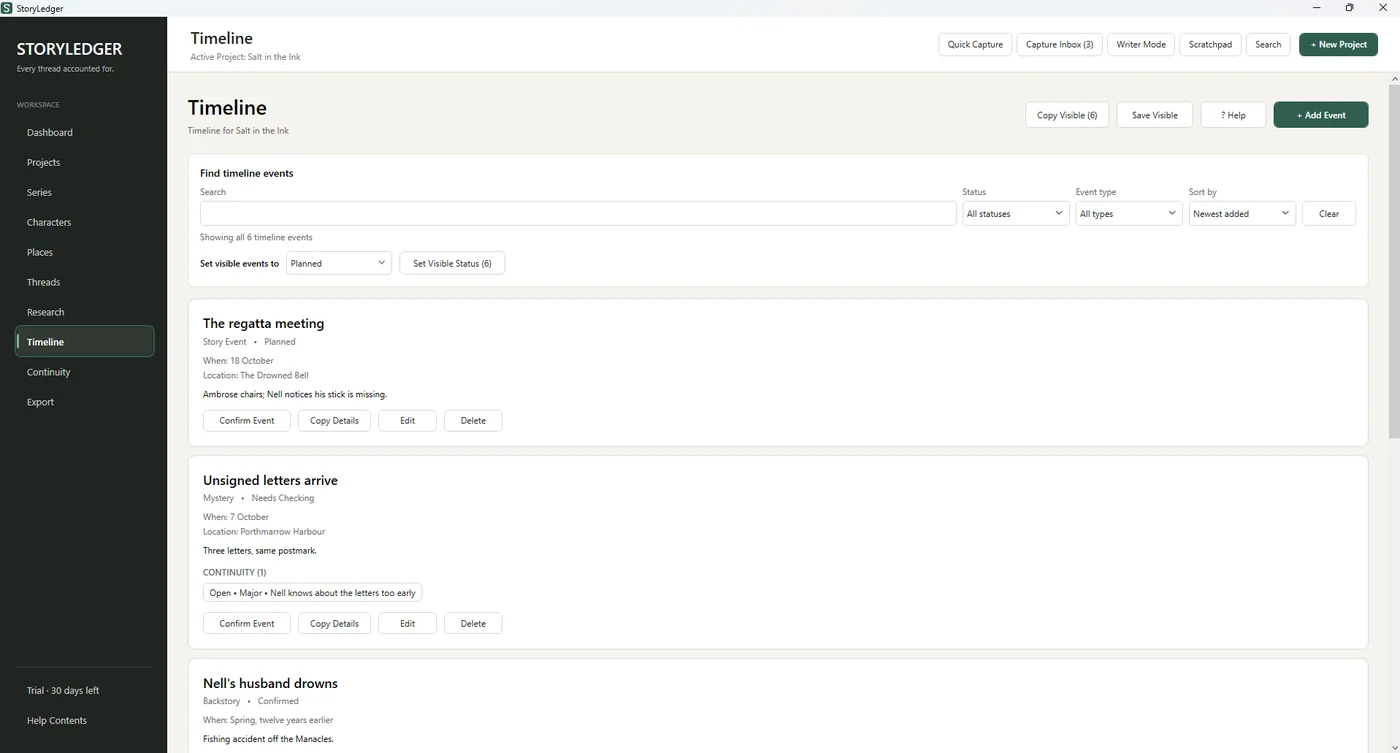
Timeline
Story events, backstory and historical dates, each marked Planned, Confirmed or Needs Checking. The dates that trip up a mystery plot are exactly the ones worth writing down.
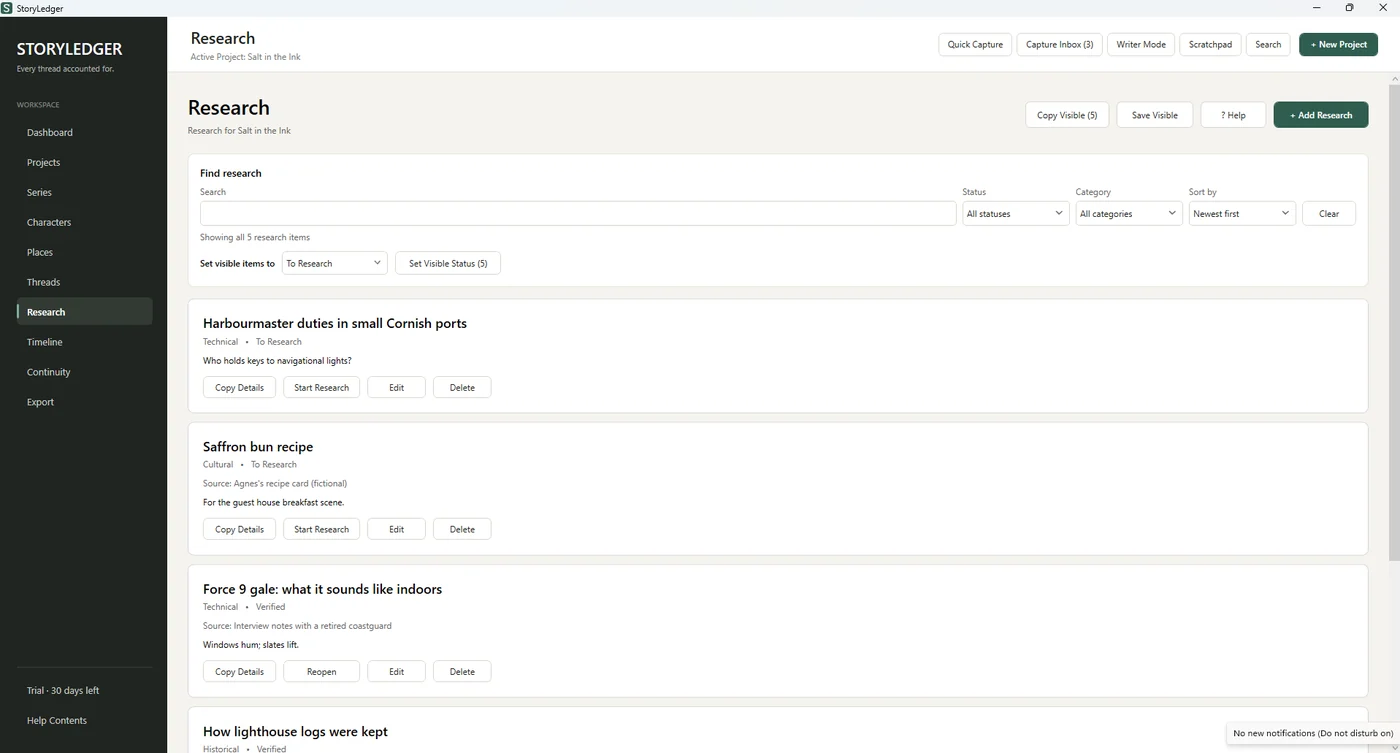
Places and research
Settings with the details that must stay fixed, and a research list with sources that open with a click, whether a website or a file on your computer. Track each item from To Research to Verified.
Capture without leaving your manuscript
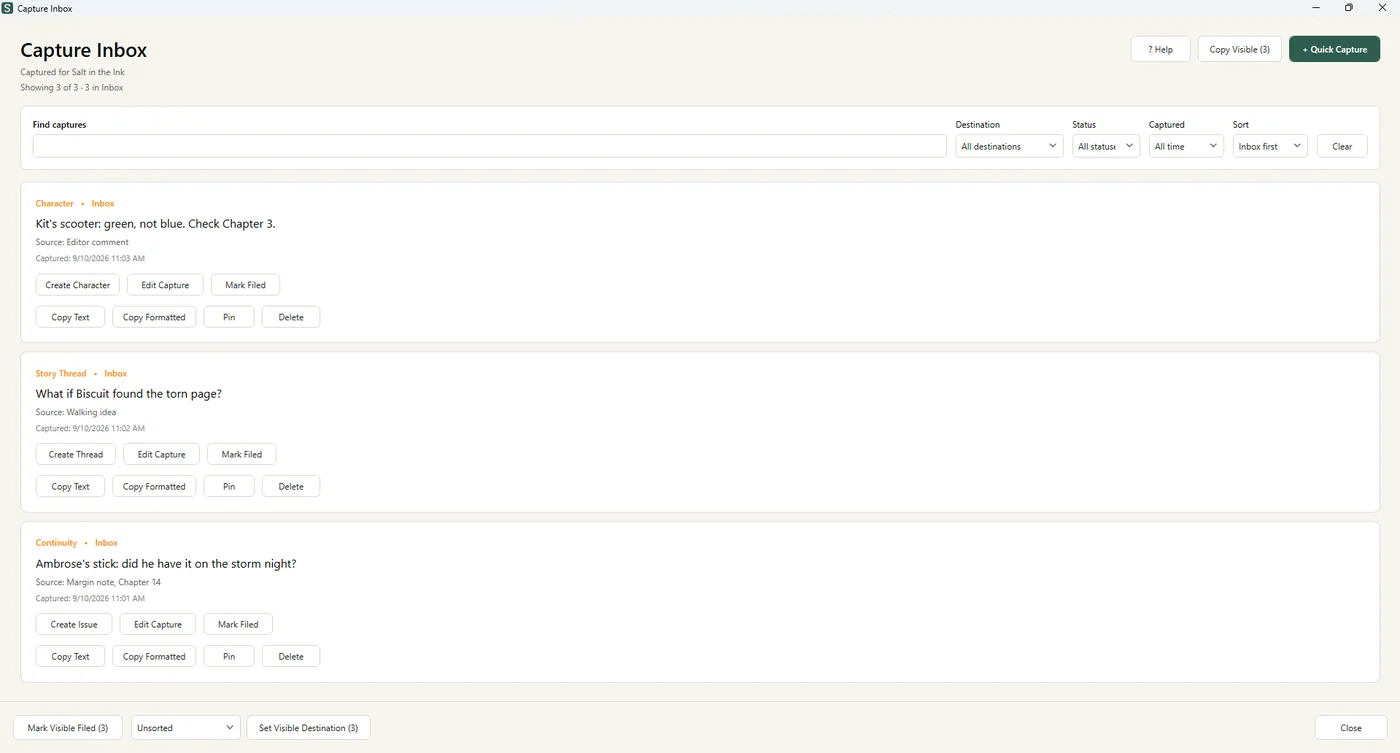
Select text in any app and press Ctrl+Shift+L. StoryLedger files it in a Capture Inbox with a note of where it came from, ready to sort into a character, thread or continuity issue later. Writer Mode tucks StoryLedger away while you write and keeps capture one keystroke away.
A Story Bible to hand over
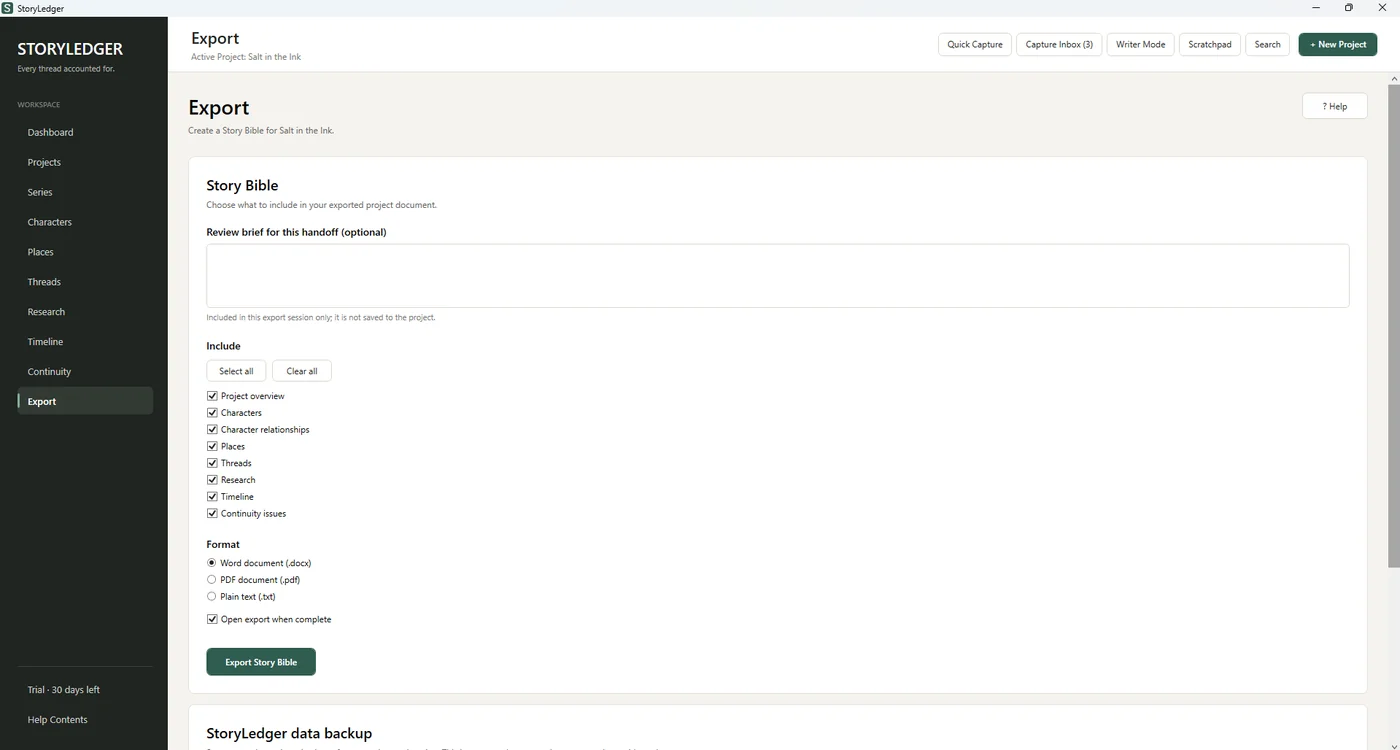
Export a clean Story Bible as a Word document, PDF or plain text, including only the sections you choose, with an optional brief for your editor, cover designer or co-writer.
Built for
Anyone who has to keep a story straight.
Series authors
Book six remembers book one
Group books into a series and keep projects moving through their stages, from Planning to ARC, Scheduled and Published, with draft, ARC and release dates at a glance.
Editors
A ledger you can hand back
Log what you find as you read, with severity and exact search text, then export the list for the author. Clearer than forty margin comments.
Beta readers & co-writers
One source of truth
A shared Story Bible export means everyone checks the same facts, instead of three versions of the heroine’s birthday.
Your work stays yours
Private by design.
- Your library lives on your own computer. No account, no cloud, no subscription.
- StoryLedger never opens your manuscript and nothing is ever used to train anything.
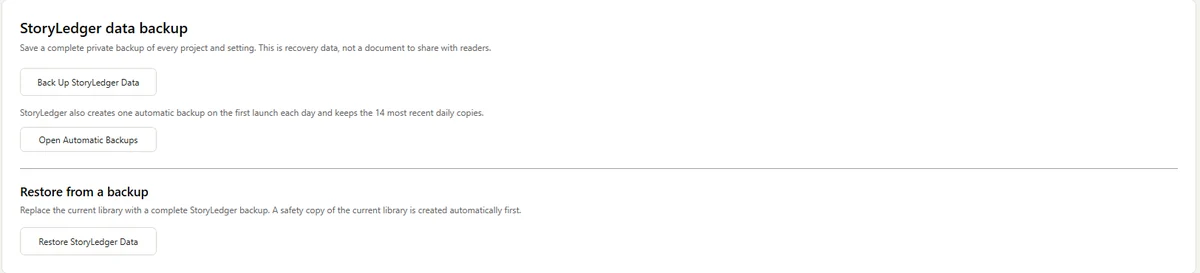
- An automatic backup every day, keeping the latest fourteen, plus one-click backups to anywhere you choose.
- Updates install themselves without touching your library.
One price, yours to keep
Try everything free for 30 days.
Then buy it once. No subscription, no renewals.
StoryLedger
Early Access to the full app, for everyone who joins before version 1.0.
R499
about US$31 · R649 from version 1.0
- Every feature, unlimited books and series
- Personal licence key, works offline
- Automatic updates included
- Made and supported by one author in Cape Town
Getting started
Up and running in five minutes.
Download and install
Run StoryLedger-win-Setup.exe. If Windows shows “Windows protected your PC”, click More info then Run anyway. StoryLedger opens by itself when it is ready.
Start your first project
Add a book, then your characters, places and threads as you go. Nothing needs to be filled in all at once.
Use it for 30 days
Every feature, no limits. The sidebar shows how many days are left.
Buy and activate
Your licence key arrives by email. Paste it into StoryLedger once, and it is licensed to you for good.
Questions
Before you download.
Does StoryLedger run on a Mac?
Not yet. StoryLedger is a Windows app for now (Windows 10 and 11). If you are on a Mac and would like it, email me: enough requests and it moves up the list.
Windows says “Windows protected your PC”. Is that safe?
Yes. Windows shows that warning for new apps from independent developers until they have built up a download history. Click More info, then Run anyway. The installer comes straight from StoryLedger’s official release page and contains nothing but the app.
Does StoryLedger read or upload my manuscript?
No. StoryLedger never opens your manuscript and never sends your notes anywhere. Everything you record stays in a library on your own computer. The only time it goes online is to check whether a newer version is available.
What happens when the free trial ends?
StoryLedger asks for a licence key before opening your library. Your work is never held hostage: the same window always offers Back up my data, so you can keep a complete copy of everything whether you buy or not.
How do I get my licence key?
Buy through the secure Paystack page. I email your personal licence key within 24 hours, usually much sooner. Paste it into StoryLedger once and you are done. It works offline and is yours to keep.
Do I pay for updates?
No. Updates download and install themselves, and every update during Early Access and version 1 is included in your licence.
Can I pay from outside South Africa?
Yes. The price is charged in rand through Paystack and any international card works; your bank converts it automatically, which comes to about US$31.
Is my work backed up?
StoryLedger makes an automatic backup the first time you open it each day and keeps the fourteen most recent. You can also save a complete backup anywhere you like, such as a USB stick or cloud folder, with one click.
Keep every thread accounted for.
Thirty days, every feature, nothing to lose but the continuity notes in your next review.
Also from this desk: editorial reviews and blurbs for independent authors.